
SharePoint Architecture Masterclass
Designed for busy professionals who need the fastest path to master SharePoint. By the end of this course you'll be able to:
-
Build the exact system your company needs
-
Avoid "hacky solutions" that break later
-
Set up security right the first time
-
Stop "pulling your hair out" in frustration
Whether you're brand new or familiar with SharePoint, learn to make it the backbone of your company instead of a dumping ground.
Certificate of Completion
Interactive Labs like you've never seen
Real-World Challenges everyone faces
Last Course Update: 4-09-2026
You know you're getting the latest content.


85% of Fortune 500 companies use SharePoint, how are they learning so fast?
Because they don’t learn everything.
And you shouldn’t either.
Most SharePoint features are rarely used. Learning them all wastes time.
What actually matters is mastering SharePoint’s 5 Core Components.
Wouldn't it be nice to stop googling SharePoint answers at 11pm?
Learn the Features that actually matter

Build it right the first time & go home early
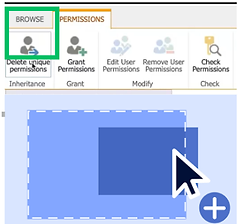
You only need to know 5 things
For 10+ years, we’ve been called in to fix failed SharePoint projects.
Every time, the root cause was the same:
One or more of the 5 Core Components was implemented wrong.
The Backbone of your Business
is what SharePoint is meant to be, not a file dump.
SharePoint is free, accessible, and connected to ALL of your Microsoft ecosystem. The problem is most users are unaware how a few simple changes could make daily operations infinitely easier, or how a few small misses, create very big risks.
We teach the critical features that make or break a SharePoint solution.
Customized for your business

The best part - you can master the 5 components in only a few days
What you'll learn
From day 1 you'll be completing interactive videos, "client simulations", and "hands-on" SharePoint projects that you'll be able to apply at your job tomorrow.
1
Build it right
the first time
The most critical architectural decisions happen before you even open SharePoint.
Learn the nuances of SharePoint consulting to give your clients the right foundation from Day 1. It's much more than choosing a "Teams vs Communication" site.
2
Scalable
Security
Lock your system down without locking people out.
Don't waste time adding/removing users manually from your site - implement "bullet proof" security Best Practices that only need to be set up once. Learn to leverage, or completely block Copilot.
3
Integrations
w/ out a mess
There is a A way to integrate and THE way.
SharePoint isn't always the right answer, and neither are integrations that cost more than they deliver. This difference is what separates a good from great SharePoint consultant. Integrate the right tools without "over architecting".
4
Build a system they LOVE
not just use.
If your users don't love it, they won't use it.
If they can't find it, they also won't use it and if it's too many clicks...they'll use Excel. You'll build interfaces your users not only love, but take weeks less time than hacky Canvas Apps.
5
Culture of Collaboration
Great SharePoint architecture isn't a bunch of docs, and it's an interconnected ecosystem.
From your HR department needing access to Sales data, or your Director needing a single place to see EVERYTHING, your data has to talk to each other.
More than a course, you also get these bonuses
Bonus #1: Never "stuck" guarantee! Access to our Tech questions forum
You get 24 hour access to our Questions Forum! If you're stuck, rather than wonder if ChatGPT is right, ask our experts! You can ask about SharePoint, Power Platform or even Azure - the questions don't even have to be related to the course. It's like having a consultant in your back pocket! We answer the questions, but you take all the credit :)


Bonus #2: Enterprise Portfolio!
Reuse at work or your next job
By the end of the course you’ll have a professional, real-world portfolio of SharePoint projects to show off.
Use these finished, enterprise-ready solutions to:
-
Showcase to clients or stakeholders
-
Reference anytime you need inspiration or a proven model
-
Impress in job interviews
Bonus #3: SharePoint Success Kit!
Shareable Best Practices
No need to take notes - get beautifully detailed PDFs to help in your learning journey that cover everything from Advanced SharePoint functionality, to Permission strategies to scale with your business. Use these guides to:
-
Email your colleagues why your architecture is best
-
Quickly Reference if you're ever stuck
-
Share with your team to assist on tricky concepts like SharePoint vs Azure Blob

SharePoint is supposed to be easy...
Hi I'm Nicona, and I'm weird because I love SharePoint, but I understand why it gets so much hate.
Over a decade ago I was asked to "overhaul" my companies SharePoint site. I followed YouTube tutorials and that's when my questions became concerns:
-
Should I use folders here? Some say it's bad.
-
My boss wants X, can SharePoint do that?
-
This data is sensitive, is it safe from Copilot?
-
How do I track who is doing what?
I spent 10+ years mastering the above to the point that not only do I build SharePoint sites, but I rescue failed ones.
I built this course so you don't have to "fake it until you make it", and can spend more time with your family, instead of fixing bugs like I did. Enjoy!

100% Money back Guarantee
If you're unsatisfied for any reason, we'll refund your purchase 100%. We would rather meet your expectations than have you disappointed. Must request within 14 days.